Every PDF tool, in your language.
E-Docs puts 28 PDF tools in one place: merge, split, compress, convert, sign and protect. Its standout feature is translation: turn English documents into Hindi and 9 more Indian languages, and download them as Word or PDF.
- 100% free, no watermark
- Files processed in your browser
- No sign-up needed
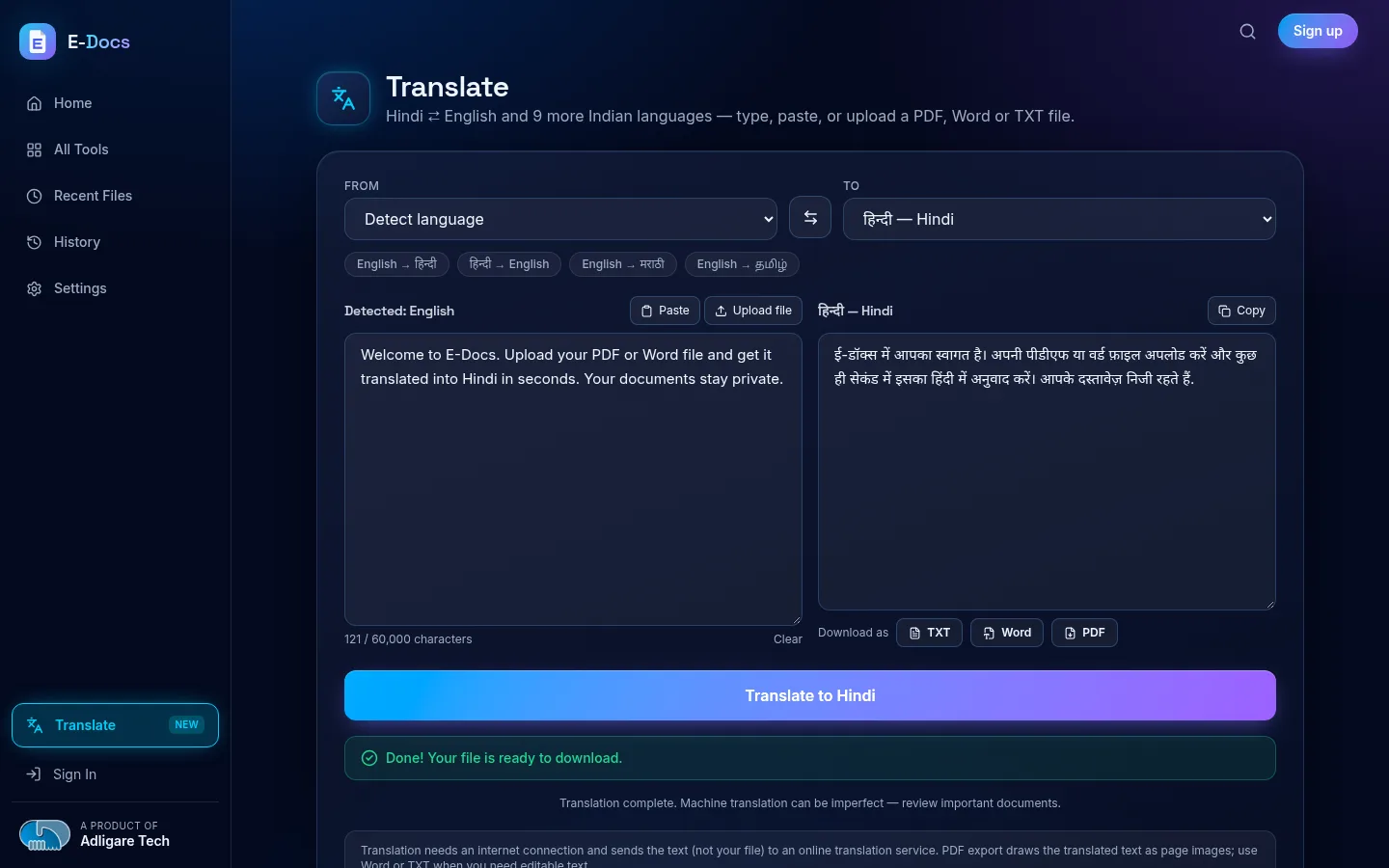
Translate documents into Hindi and Indian languages
Most PDF tools stop at English. E-Docs translates the whole document, keeps paragraphs in place, and gives you a file you can send straight away.
- Paste text or upload a filePDF, Word (DOCX) or TXT. E-Docs reads the text for you, up to 60,000 characters at a time.
- Pick the languagesLeave “Detect language” on, or choose the source. One-click presets for English ⇄ Hindi, Marathi and Tamil.
- Download the resultCopy the text, or download it as TXT, Word or PDF, with proper fonts for each script.
Supported languages, any direction
- English
- हिन्दी
- मराठी
- ગુજરાતી
- বাংলা
- தமிழ்
- తెలుగు
- ಕನ್ನಡ
- മലയാളം
- ਪੰਜਾਬੀ
- اردو
Whole files, not just lines
Upload a circular, letter or notice and get the full translated document back.
Right script, right font
Devanagari, Gujarati, Bengali, Tamil, Telugu, Kannada, Malayalam and Gurmukhi render correctly. Urdu is written right to left.
No API key, no setup
Open the tool and translate. Nothing to configure, nothing to pay.
Translation needs an internet connection and sends the text (not your file) to an online translation service. Machine translation can be imperfect, so review important documents.
All 28 tools
Everything you usually need three or four different apps for, in five groups.
Translate 1
Organise 7
Convert 11
Edit and sign 6
Security 3
Take a look inside
Real screens from the E-Docs app. Click a tab to switch.
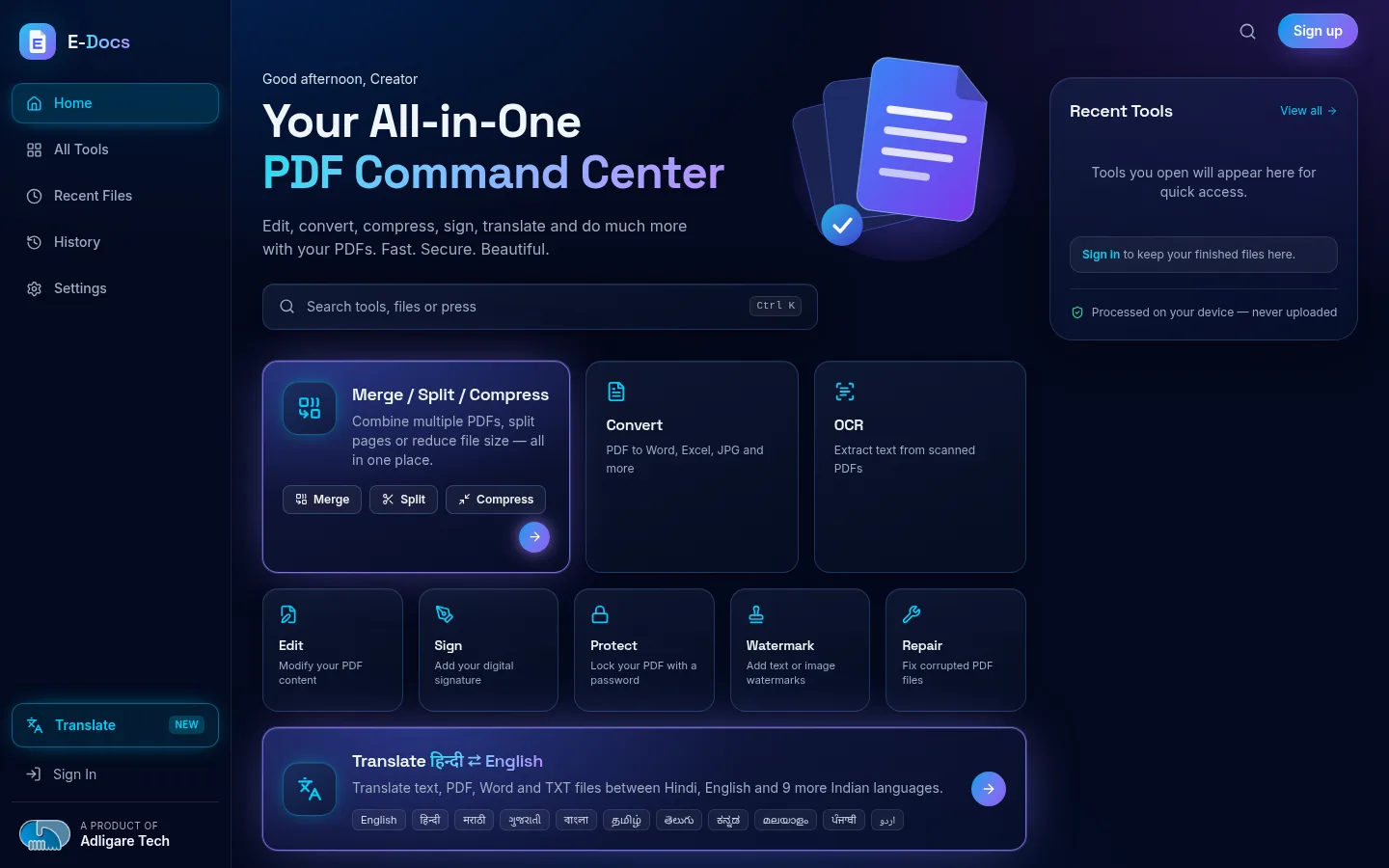
The command center: search any tool with Ctrl K, jump to popular tools, and see the tools you used recently.
Log in to keep your files
As a guest nothing is saved. Sign in and every result is saved to your account automatically, so you can download it again from any device.
| Guest | Signed in | |
|---|---|---|
| Use all 28 tools and translation | ||
| Files processed in your browser | ||
| Output saved automatically after each run | ||
| “Your recent files” list on every tool page | ||
| Dashboard with files saved, storage used and most-used tools | ||
| Full history with search, tool filter, re-download and delete | ||
| Open your files again from another device |
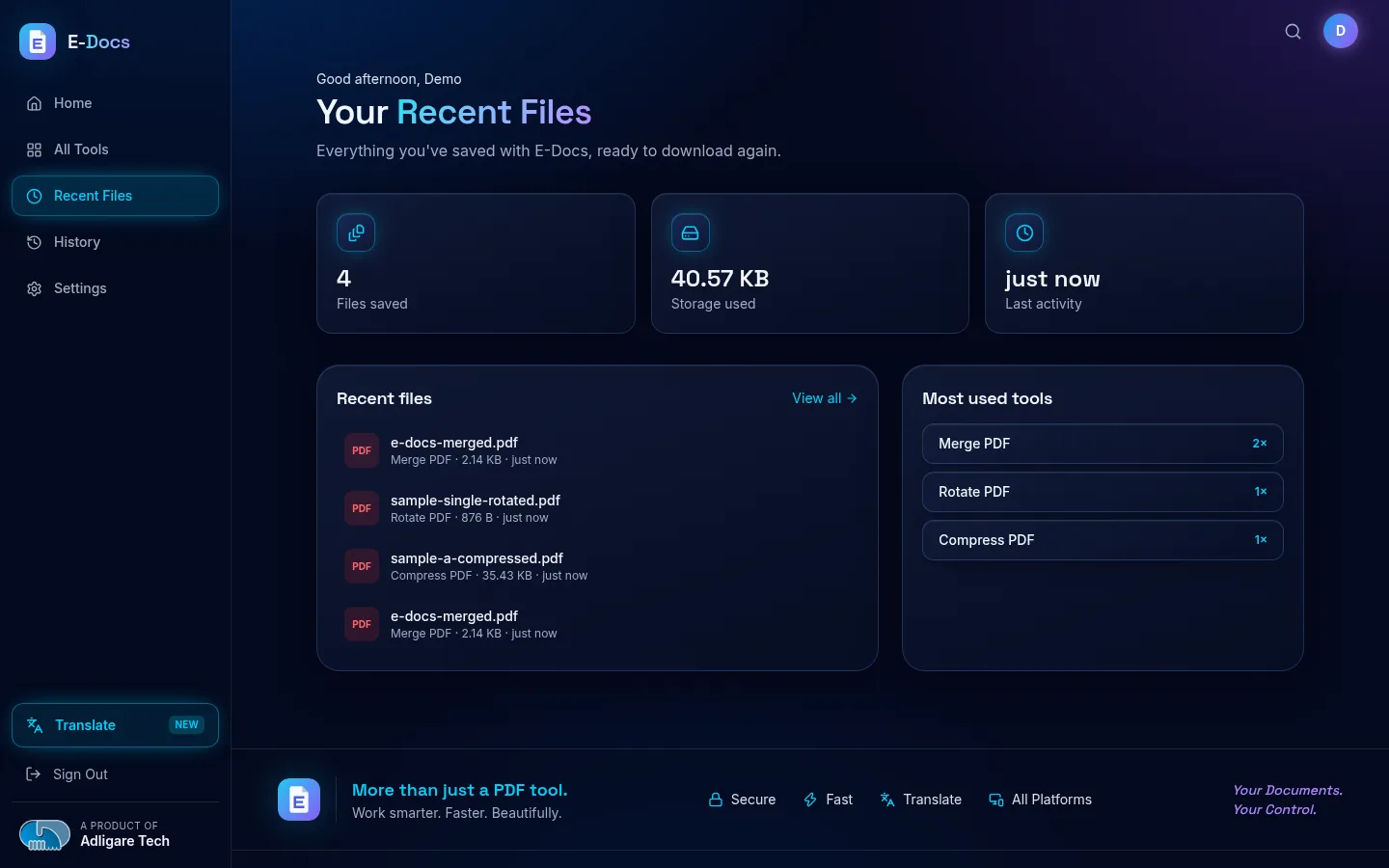
Your dashboard
See how many files you have saved, how much storage they use, your most-used tools and your latest files.
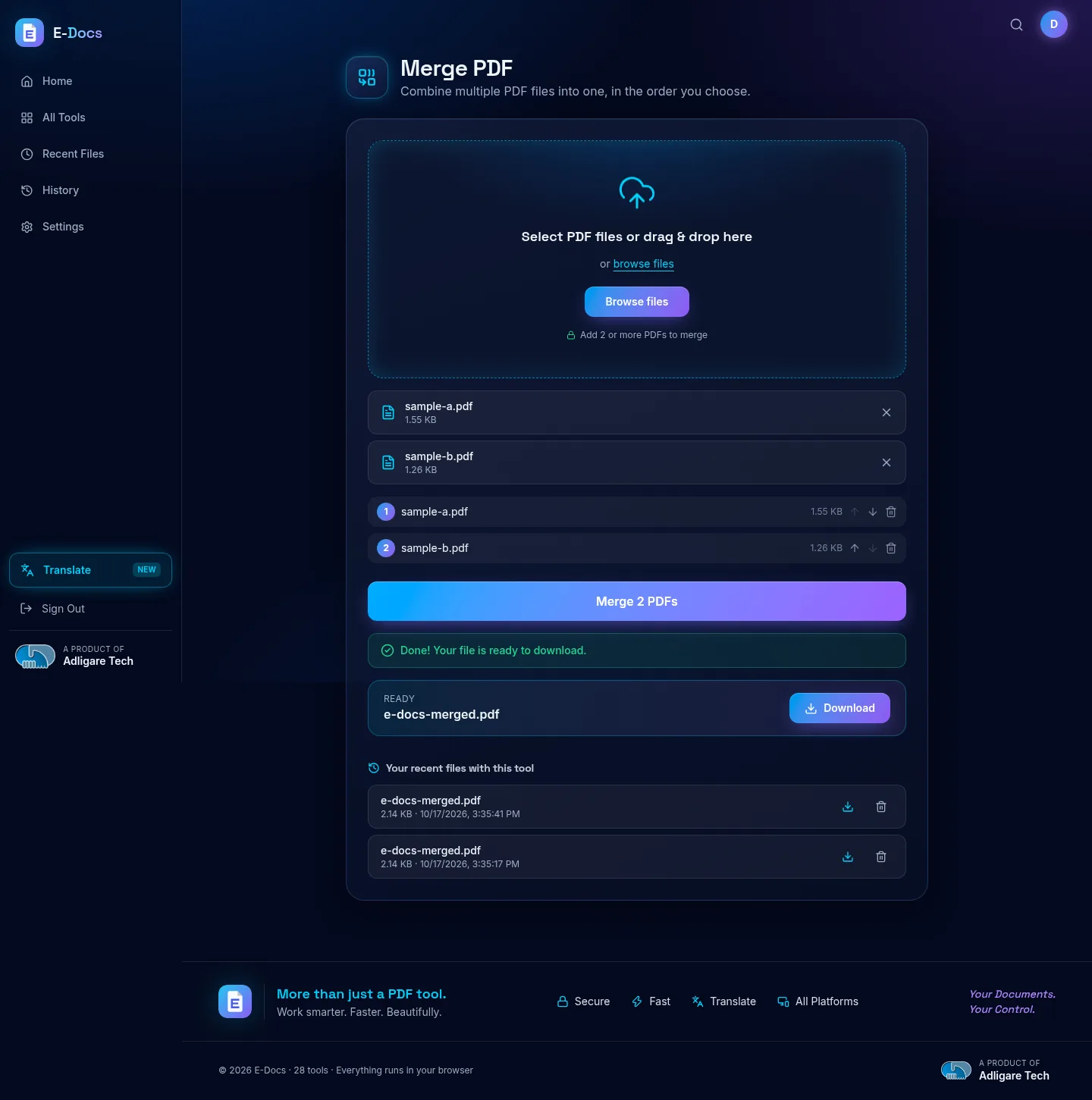
Recent files on every tool
Each tool page lists the files you made with it. Download again or delete with one click.
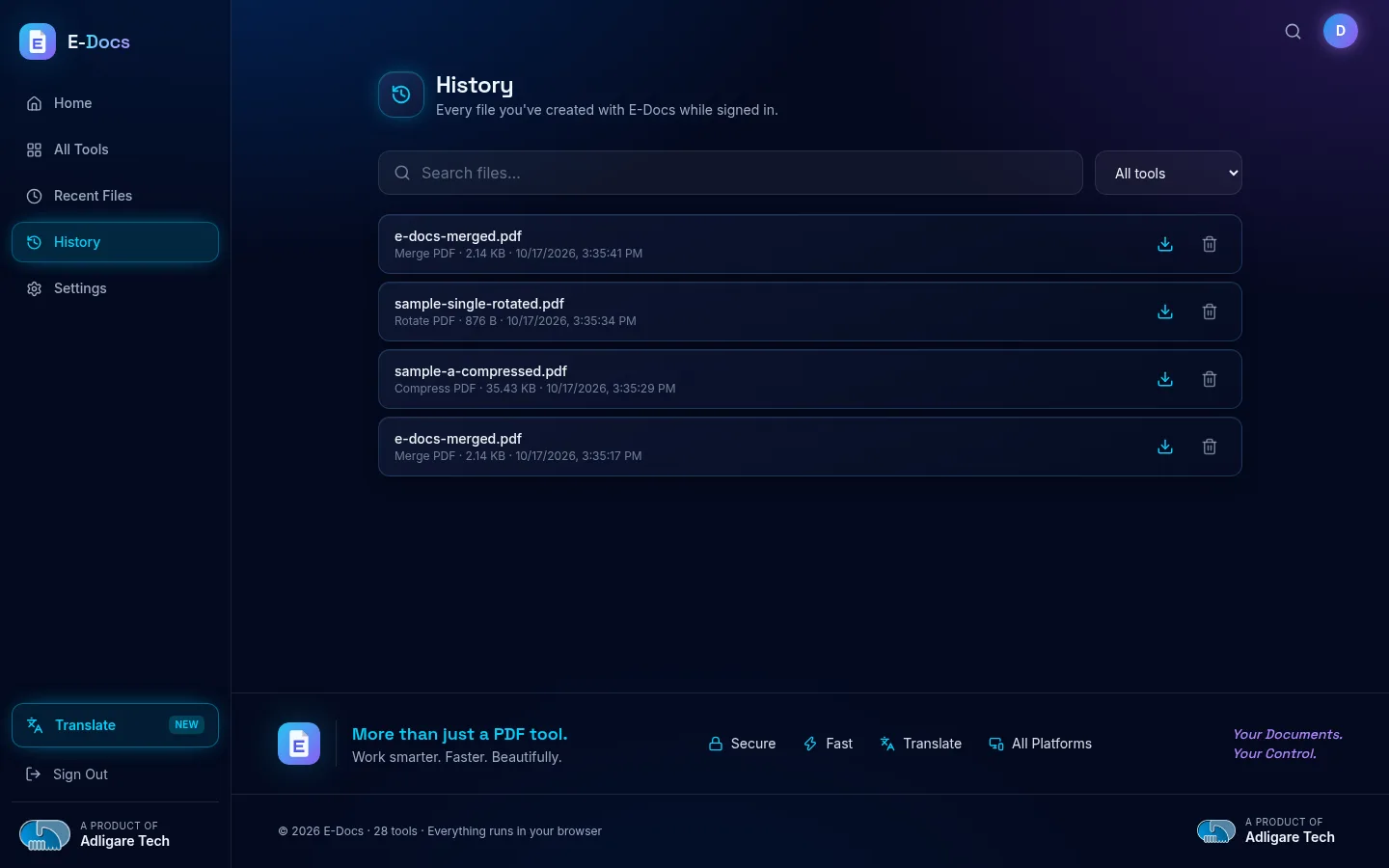
Full history
Search all your saved files, filter by tool, re-download any of them, and delete what you no longer need.
What is stored when you log in
Exactly this, and nothing more.
Your account
Name, email and password. The password is stored only as a bcrypt hash, so nobody can read it, not even us.
Your output files
After a tool finishes, the result file (for example the merged PDF) is saved to your account in our MongoDB database. Translated files you download are saved too. Up to 100 MB per file.
History entries
For each saved file: which tool made it, the file name, its size and the date and time.
Sign-in token
A signed token in your browser keeps you logged in for 30 days. Sign out to remove it.
Never stored
- The original files you upload into a tool
- Anything you do as a guest
- The source text or file you translate (only the translated file you download is saved)
- Files from the PDF to Word server converter (deleted right after conversion)
You stay in control
- Delete any saved file from History or a tool page; it is removed from the database
- Sign out any time to remove the sign-in token from your browser
- Site administrators can see and remove saved files for support and safety
- Your recent tools and language choice are kept only in your own browser
Private by default
E-Docs is built so your documents stay with you.
Runs on your device
Merging, splitting, compressing, converting, signing, OCR, passwords and redaction all happen inside your browser. The file never leaves your computer or phone.
Two clear exceptions
Translate sends only the text to a translation service. PDF to Word may send the file to our server for a better layout, and the file is deleted right after. If the server converter is not available, it runs in your browser instead.
Hashed passwords
Account passwords are hashed with bcrypt before they are stored.
Locked-down API
Our server only answers requests coming from the E-Docs website.
Any device
Works in any modern browser on laptop or phone. Nothing to install.
Who it’s for
Anyone who works with documents, especially in more than one language.
Government offices
Turn English circulars into Hindi, merge annexures, and add page numbers before sending.
Students and teachers
Compress assignments under upload limits, scan notes, and convert slides to PDF.
Small businesses
Sign quotations, watermark invoices and protect files with a password.
Professionals
Redact personal details, compare contract versions, and convert PDFs back to Word.
Frequently asked questions
Is E-Docs really free?
Yes. All 28 tools, including translation, are free. There is no watermark and no limit on how many times you use a tool.
Do I need an account?
No. Every tool works as a guest. Sign in only if you want your output files saved so you can download them again later.
Are my files uploaded?
Most tools run entirely inside your browser, so the file never leaves your device. Two exceptions: translation sends the text (not the file) to an online translation service, and PDF to Word may use our server converter for better layout, which deletes the file right after. If you are signed in, the finished output file is saved to your account.
Which languages can I translate?
English, Hindi, Marathi, Gujarati, Bengali, Tamil, Telugu, Kannada, Malayalam, Punjabi and Urdu, in any direction. The source language can be detected automatically.
Can I translate a whole PDF or Word file?
Yes. Upload a PDF, DOCX or TXT and E-Docs reads the text, translates it and lets you download the result as TXT, Word or PDF. Up to 60,000 characters at a time.
Is machine translation accurate?
It is good for everyday documents, but not perfect. Please have a person review legal, medical or official documents before you use them.
Who can see my saved files?
You can. Site administrators can also see the list of saved files and remove them, for support and to keep the service safe. Guest files are never stored, so nobody can see them.
How do I delete my saved files?
Open History, or the “Your recent files” panel on any tool page, and click the delete icon. The file is removed from our database.
Does it work on mobile?
Yes. E-Docs works in any modern phone browser. Scan to PDF can use your phone camera.
Can a scanned PDF be translated?
Run OCR PDF first to turn the scanned images into text, then translate the result.
Translate your first document
Free, no sign-up needed. Log in only if you want your files saved.